 ZX81
engine room ZX81
engine room
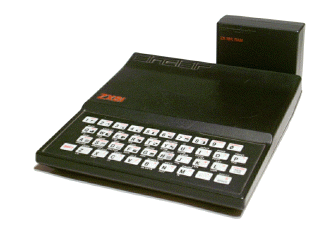
This page is about the vintage homecomputer Sinclair ZX81 / Timex-Sinclair TS1000
T2P.EXE version 1.7
T2P is a program that generates a valid P-file for the ZX81 or TS1000 from a textfile. You can now write Basic programs on your PC with any texeditor. T2P is the advanced version of ZXText2P. It has several modifications and advantages.
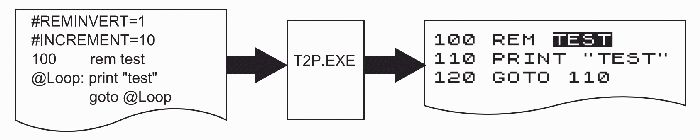
Here the file T2P.EXE and a doku in German and English with a zipped archive of demoprograms can be downloaded. There is also a syntax-highlighting definition file for TextPad prepared.
Some new features of T2P.EXE
Basic-text can be written as Batchfile calling T2P.EXE itself
Enter Basic lines with or without linenumbers
Automatic increment of linenumbers
Change increment value at any line
Make fixed linnumbers
Labels and linenumbers at the same line
Reference to labels with linenumber or with memory-address
Inverse REM lines
Generate autostart programms
FAST presetable
Predifine variables (even arrays)
Use graphics, inverse and binary characters
...
|
|
I also prepared a video about setting up T2P.EXE and some usecases.
PowerBasic 1.02
PowerBasic is a very simple to use Basic extension. The new commands include seamlessly into the ZX81 Basic. All you need is a RamPak with 16k or bigger. You get new commands, a flashing cursor, and a lot of more goodies. There are precompiled versions for different memory locations and a zip-file with all source code for looking inside the code or making your own changes.
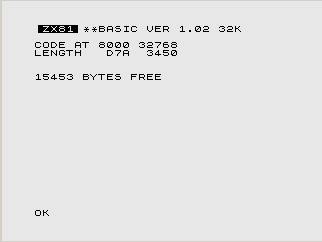
The new commands in this version:
?
HELP
STATUS
TRACEON
TRACEOFF
STEPON
STEPOFF
DATA D1[, D2, D3, .. Dn]
RESTORE [line]
READ var
IN var, port
OUT port, value
ONERROR line
ERROR errornumber
|
|
This is how the help screen looks like:
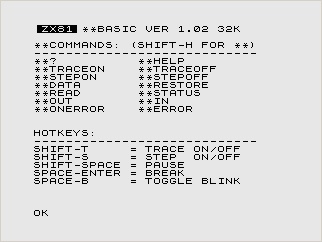
Here are the files for instant use: PB8K.P PB12K.P PB16K.P PB32K.P
In this zip file is the complete source-code including the assembler: PB-1.02.ZIP
And the Doku in German Doku-Ge.pdf and English Doku-En.pdf
And some demo programs: PBCALC.P PBERROR.P PBIN.P PBONERROR.P PBREAD.P PBSSTEP.P PBTRACE.P
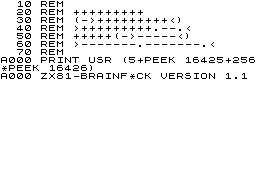
HRG-ms Version 2.8
With the following software HRG-ms you are able to have High-Resolution-Graphics (HRG) on a ZX81. All you need is a graphic-capable 16k-RamPak. In the manual I describe how to modify a regular Sinclair 16k-Pack to make it HRG-capable. Only two diodes and a resistor have to be added.
Here are the key features of this software:
- compatible with ZXpand hardware
- program installs itself over RAMTOP, needs no REM line with machine-code in the user program
- hotkeys for switching view from graphic bank to text screen and vice versa (even if program is running)
- hotkeys for switching view to different graphic banks (if more than 16k RAM, even if program is running)
- hotkey for immediate printout of the screen (even if program is running)
- 256 x 192 pixel
- easy interface to ZX81-Basic
- interface to other machine-code programs to use the graphics
- multiple graphic-banks if you have more than 16k RAM
- functions for setting pixels, drawing lines or boxes etc.
- ZX81-graphics with text and HiRes-graphic overlaid
- ZX-printer and Seikosha GP-50S supported (Alphacom 32 or Timex Printer should work also)
- 127 user definable graphics or characters (UDG)
- manual in English and German language
Implemented functions in version 2.8
ON
PIX,x,y
LINE,x,y,x,y
LINETO,x,y
BOX,x,y,x,y
CIRCLE,x,y,r
POLY,x,y,x,y,x,y...
TEXT
OVERTEXT
UDGNEW
|
OFF
UNPIX,x,y
UNLINE,x,y,x,y
UNLINETO,x,y
UNBOX,x,y,x,y
UNCIRCLE,x,y,r
UNPOLY,x,y,x,y,x,y...
UNTEXT
INVERT
UDGSET
|
CLR
XPIX,x,y
XLINE,x,y,x,y
XLINETO,x,y
XBOX,x,y,x,y
XCIRCLE,x,y,r
XPOLY,x,y,x,y,x,y...
XTEXT
HCOPY
BANK
|
|
Here is the actual version 2.8 for 16k RAM HRG-16k.p or 32k-64k RAM HRG-64k.p as ZX81 p-file.
And the complete manual in English or German.
Demo programs
The following demo-programs demo16.p or demo64.p generate some graphics on the screen and print each of it. While running the program you can try out to switch between the graphic bank(s) and text-screen or make a printer-copy of semi-finished graphics by hotkey.
Even if you are in the Basic-listing you have access to the graphics with the hotkey function. So edding the Basic lines and viewing the graphic screen is as simple as never before.
Find more demo programs on my demo page.
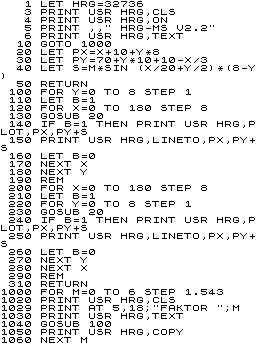
This is demo16.p
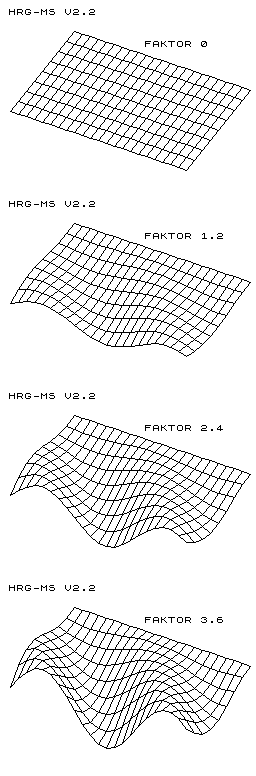
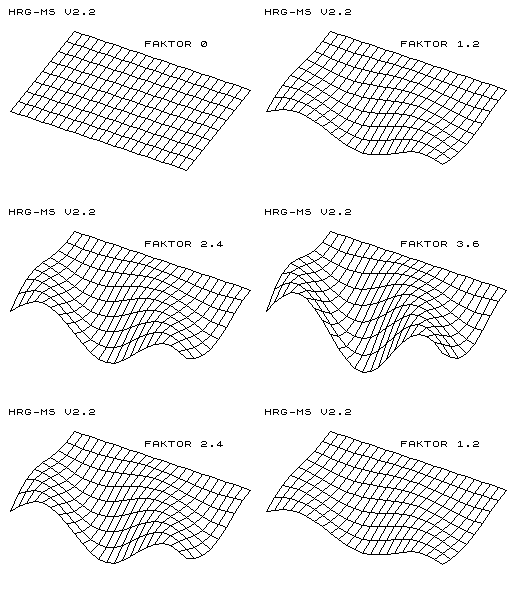
This is what you get on your printer. On the screen you will see each graphic beeing constructed line by line. If you have 64k of RAM and use demo64.p you get an animated view of the graphics on your display at the end.
email me 
more interesting sites about Sinclair ZX81:
www.zx81.de
www.rwapservices.co.uk
forum.tlienhard.com
|
|
